
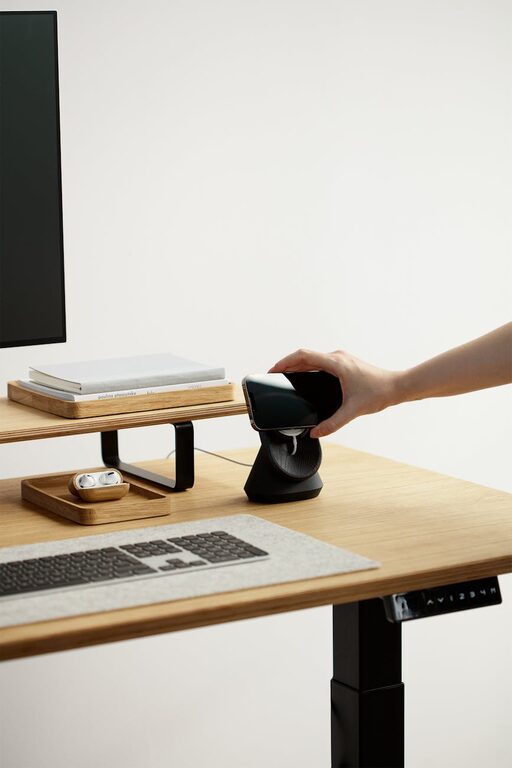
Creating a comfortable and relaxing home workspace is essential for anyone working remotely or spending long hours at a desk. A well-designed workspace not only boosts productivity but also helps reduce stress and improve your overall well-being. Whether you have a dedicated room or just a corner of your home, you can transform it into a calming environment that inspires focus and creativity.
In this post, we’ll explore practical tips and ideas to help you create a relaxing home workspace.
Why a Relaxing Workspace Matters
When your work area feels cluttered or stressful, it can negatively impact your concentration and motivation. A relaxing workspace invites calmness and helps you stay organized, allowing you to complete tasks more efficiently. Plus, having a clear boundary between work and home life supports better work-life balance.
Choosing the Right Spot
Find Natural Light
Select a workspace near a window if possible. Natural light can enhance your mood and energy levels. If natural light is limited, opt for good quality warm lighting that mimics daylight.
Consider Noise Levels
Try to pick a quiet area where interruptions and background noise are minimal. If complete silence isn’t possible, consider noise-canceling headphones or white noise machines to keep distractions at bay.
Organize with Purpose
Declutter Regularly
Keep your workspace tidy by removing anything you don’t need daily. A clean area helps your mind feel clear.
Use Storage Solutions
Invest in shelves, drawers, or boxes to neatly store papers, gadgets, and office supplies. Labeling containers makes finding items easy and fast.
Limit Desk Items
Keep only essential things on your desk—like your computer, a notebook, and a few pens. Too many objects can cause unnecessary stress.
Choose Comfortable Furniture
Invest in an Ergonomic Chair
Your chair should support your back and promote good posture. Sitting comfortably helps avoid fatigue and physical strain.
Use a Desk at the Right Height
Ensure your desk size suits your height and allows you to work without hunching over.
Add a Footrest or Cushion
Extra comfort items like cushions or footrests can make extended sitting more pleasant.
Personalize with Calming Decor
Pick Soothing Colors
Soft neutrals, cool blues, or greens tend to have a calming effect. Avoid overly bright or harsh colors that might feel overwhelming.
Include Greenery
Plants improve air quality and add a touch of nature, which can help reduce stress and increase productivity.
Display Inspiring Art or Quotes
Add artwork or reminders that make you feel motivated or relaxed.
Improve Air Quality and Scent
Ventilate Regularly
Open windows to refresh the air and prevent stuffiness.
Use Essential Oils or Candles
Scents like lavender, eucalyptus, or citrus can promote relaxation, just be sure to check safety and ventilation when using candles or diffusers.
Incorporate Break and Movement Areas
Designate a Small Relaxation Spot
If space allows, have a cozy chair or rug area for stretching or short breaks away from your desk.
Schedule Movement Breaks
Set reminders to stand, stretch, or walk around every hour for better circulation and mental clarity.
Limit Digital Distractions
Manage Notifications
Turn off non-essential phone and computer alerts during focused work periods.
Use Productivity Apps
Try tools that block distracting sites or help you track your work time.
Final Thoughts
Creating a relaxing home workspace doesn’t require a complete overhaul or expensive purchases. Focus on simplicity, comfort, and personalization to make your work area a place where you can feel calm and motivated. By combining these tips, you’ll create an environment that supports your productivity while helping reduce stress.
Enjoy the process of designing your perfect workspace and notice how it improves your daily work experience!